CLI reference
Every command prints plain text. Colors turn off when you pipe the output or set NO_COLOR.
| Command | Role |
|---|---|
cw setup [--yes] [--skip <step,...>] |
Set up everything in one step: terminal, tools, harnesses, shortcuts, canary, protections. Ends with cw try. See Install |
cw try |
A stand-in agent that nobody enrolled asks for the fake secret CW_TRY_TOKEN. You see the real Approval Gate card, then the audit row |
cw version |
Product / CLI version |
cw update [--check] |
Install the newest release. The setup zip must match the sha256 digest of the release |
cw uninstall |
Run the uninstaller of Settings > Apps > CmdWarden, or the one next to cw |
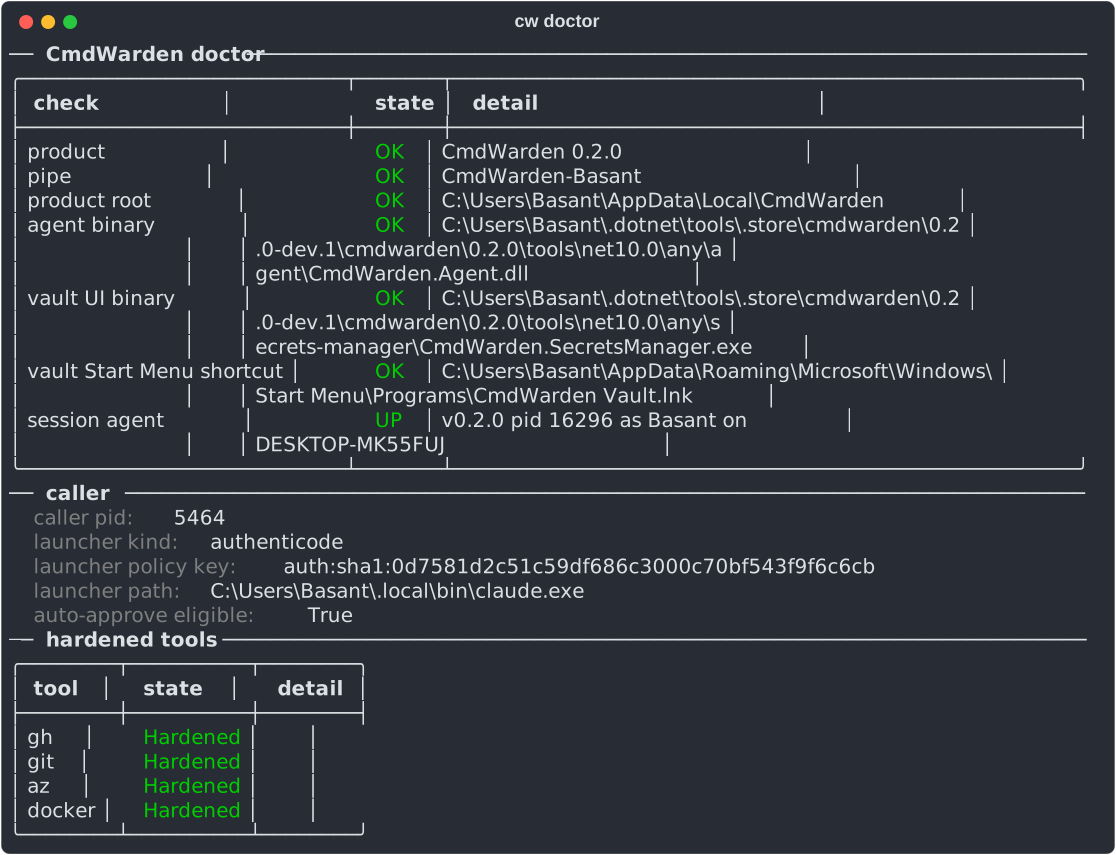
cw doctor |
Session Agent health (lazy-start) |
cw agent start\|stop\|status |
Explicit agent control |
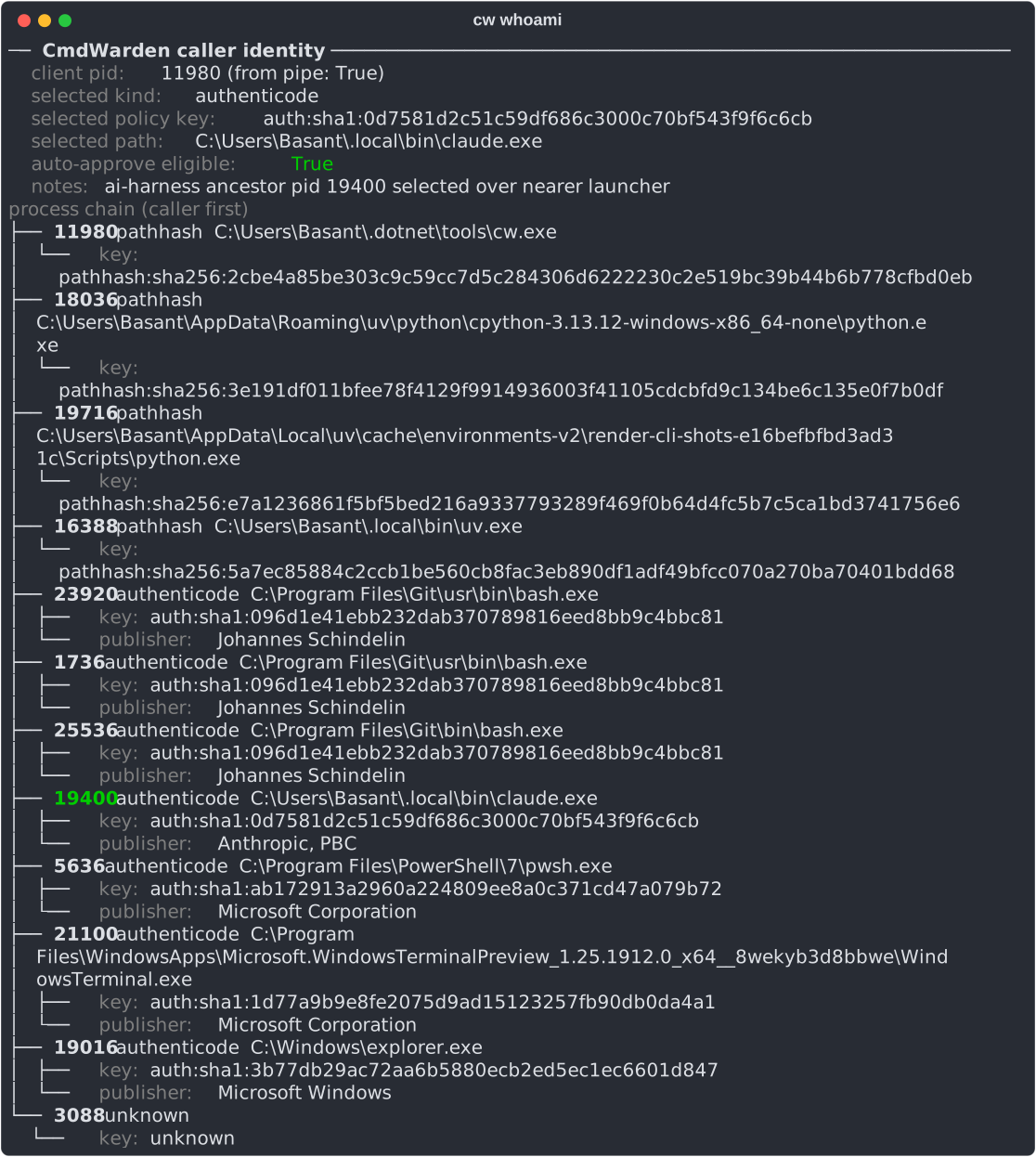
cw whoami |
Current launcher identity |
cw policy enroll --kind terminal\|ai-harness [--key …] |
Enroll launcher |
cw policy enroll --account <name> [--kind ai-harness] |
Enroll a Windows agent account, for example CodexSandboxOffline, as a launcher. The Session Agent pipe then accepts it |
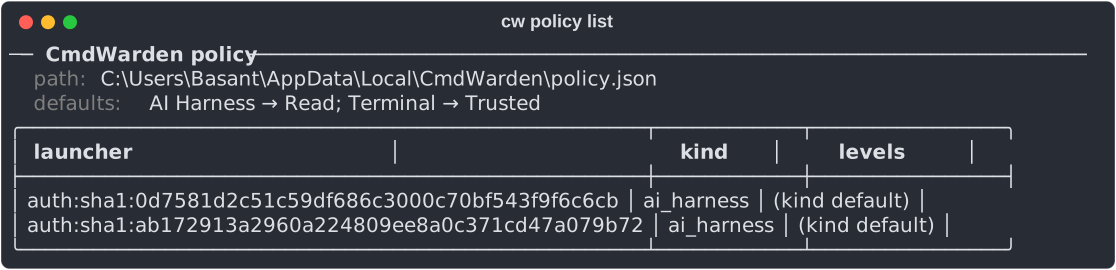
cw policy list |
Enrolled launchers + defaults |
cw policy set <key> <tool> <Deny\|Read\|Trusted\|Full> |
Per tool × launcher level; tool "*" sets every tool |
cw policy unenroll <key> |
Remove enrollment |
cw policy sessions [--revoke <id> \| --revoke-all] |
List or revoke active session allows |
cw policy hello off\|secret-reveal\|write-and-up |
When the Approval Gate asks for Windows Hello after Approve (default secret-reveal) |
cw policy sync [<git repo>] [--file F] [--ref R] \| --remove |
Read team rules from a git repo (default file cmdwarden-team.json). A team rule sets a maximum level, so it only lowers a level |
cw policy low-risk ask\|allow |
allow: a low-risk write of an enrolled launcher, like a push to a feature branch, runs with no popup. A new policy file starts with allow; an older one keeps its setting |
cw harden gh\|git\|az\|docker |
Pin + PATH shim (+ gh token import) |
cw harden npm\|aws\|kubectl\|<pack tool> |
Pin + PATH shim from a tool pack |
cw harden ssh [--upstream <pipe>] |
Ask before a sign with an ssh key; see Gate ssh key use |
cw github app setup\|status\|remove |
gh gets a GitHub App token for one repo that ends in one hour |
cw proxy setup [--port N] [--trust] |
Make the per-user CA and turn on the placeholder proxy on 127.0.0.1 |
cw proxy add <NAME> --host <host> / remove <NAME> |
Put the vault entry NAME in place of cw://NAME for these hosts |
cw proxy add <NAME> --host <host> --body <path> --field <f> |
A sign-in key: only the body field f on that path gets the value, after the card (UC17) |
cw proxy add <NAME> ... --body <path> --field <f> --totp |
The vault entry is a TOTP key or an otpauth:// link: the field gets the current one-time code (UC17 step 6) |
cw proxy list\|strict on\|off\|uninstall |
Show the proxy; strict on gives 403 to a host that no key lists; remove the CA and config |
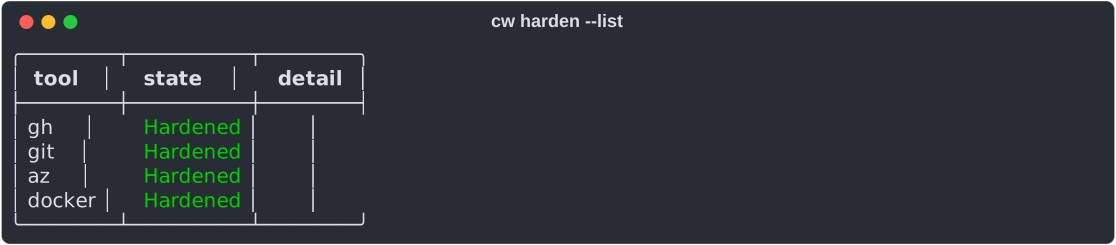
cw harden --list |
One row per catalog tool and tool pack, same probe as cw doctor |
cw harden gh\|git\|docker\|az --strong |
Also move the tool's stock credentials into the Vault |
cw unharden gh\|git\|docker\|az\|ssh\|<pack tool> |
Restore the stock store, remove pin and shim |
cw doctor --fix-path |
Put the shims dir first on the machine PATH (one UAC prompt) |
cw save <NAME> / cw delete <NAME> |
Named vault secret |
cw save <NAME> --generate [--length N] [--force] |
Save a random password (24 characters by default) and never show it. --force replaces an entry that exists (UC17 step 7) |
cw read <NAME> [--no-newline] |
Show one secret value. The class is secret-reveal: you get the card each time, and Windows Hello when it is set up. A session grant never covers it |
cw inject +NAME -- <cmd> |
Run cmd with secret in child env only. The output shows [CmdWarden: NAME] in place of each value |
cw inject --env-file <file> -- <cmd> |
Same, for each KEY=cw://NAME line of a dotenv file. One card covers the whole set. Plain lines pass through |
cw inject --template <file> -- <cmd> {template} |
Fill each cw://NAME of a config file in a private copy. The command gets the path in {template} and CW_TEMPLATE. The copy goes away when the command ends (UC16 step 3) |
cw inject ... --no-masking |
Show the secret values in the output |
cw env import [<file>] [--prefix P] [--all] [--yes] |
Move the secret values of a dotenv file (default .env) into the vault. Each moved line becomes KEY=cw://NAME. See Keep .env secrets out of the agent |
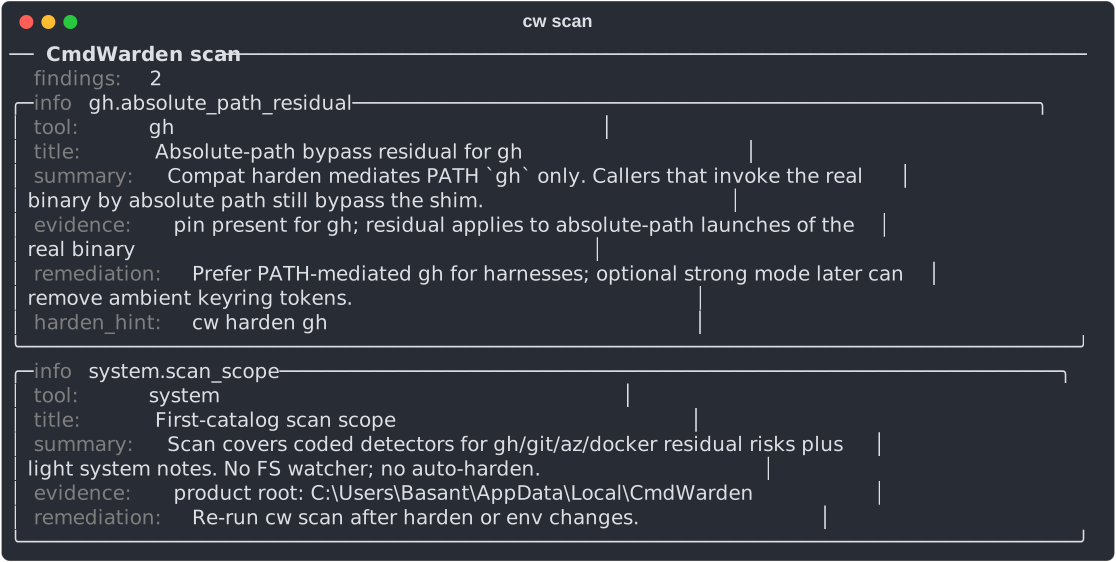
cw scan [--move-to-vault] |
Read-only residual risk scan; --move-to-vault moves plain MCP server secrets into the vault |
cw launch claude\|codex\|cursor\|grok [-- args] |
Start an AI harness without the token variables cw scan knows; enroll its binary as ai-harness if needed |
cw leak-guard install\|uninstall claude\|cursor\|codex\|grok |
Hook that replaces vaulted secret values in tool output with [CmdWarden: NAME] |
cw hook install\|uninstall claude\|cursor\|codex\|grok |
Hook that checks the policy before the harness runs a shell command. A deny stops the command, and the agent reads "CmdWarden denied this. Ask the user. Do not retry." Allow and ask add no step. It also stops a read of a .env file that holds plain secret values, and a cw command that turns protection off |
cw mcp install\|uninstall claude\|cursor\|codex\|grok |
Add the CmdWarden MCP server to the harness. Tools: run_with_secret (run a program through the gate; the output passes the leak guard), list_allowed (policy per tool, secret names only), why_denied (the last deny for this launcher) |
cw mcp |
Run the MCP server on stdio. The harness starts it |
cw canary install [--env <file>]...\|remove\|status |
Fake tokens that block the launcher and show an alarm when used |
cw protect install\|uninstall claude\|codex |
Turn on the secret protections of the harness: Claude Code deny rules and env scrub, the Codex shell environment policy. uninstall removes only what cw added. See Trust |
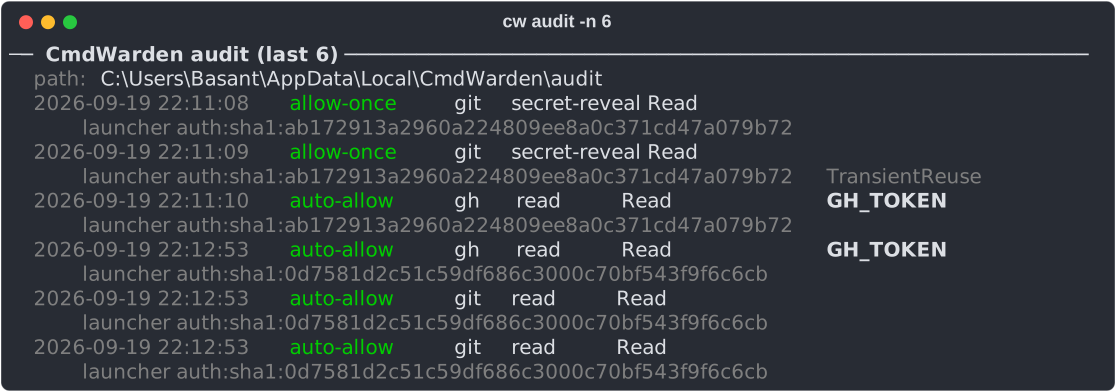
cw audit [-n N] |
Recent gate decisions |
cw audit eventlog on\|off\|status |
Also write each gate decision to the Windows Application log, source CmdWarden. on and off ask for admin once |
cw shortcut install [--desktop]\|remove\|status |
Start Menu (and Desktop) entry for CmdWarden Vault, a cw launch entry per harness on this PC, and the tray icon at logon |
Grok
Grok uses the same commands as the other harnesses. Run them in your own terminal. Then restart Grok.
cw launch grok
cw hook install grok
cw leak-guard install grok
cw mcp install grok
cw setup does the same steps when grok.exe is on PATH.
| Piece | Where it goes | What it does |
|---|---|---|
| Policy hook | ~/.grok/hooks/cmdwarden.json, event PreToolUse |
Matcher Bash\|PowerShell\|Read. Grok maps those names to run_terminal_command and read_file. A deny stops the call. |
| Leak guard | Same file, event PostToolUse |
Matcher .*. It replaces each vault value in the tool output with [CmdWarden: NAME]. |
| MCP server | ~/.grok/config.toml, table [mcp_servers.cmdwarden] |
Grok starts cw mcp. The tools are run_with_secret, list_allowed, and why_denied. |
cw hook uninstall grok removes the policy hook. cw leak-guard uninstall grok removes the leak guard. cw mcp uninstall grok removes the MCP table. Other lines in the files stay.
Grok reads the same hook reply as Claude Code. A deny uses permissionDecision. The leak guard uses updatedToolOutput.
Screens
cw doctor - agent health, caller identity, and hardened tools.
cw whoami - the launcher identity for the current shell.
cw policy list - defaults and enrolled launchers.
cw harden --list - one row per catalog tool.
cw scan - residual risk findings.
cw audit -n 6 - the newest gate decisions.
Regenerate these from a real terminal with uv run scripts/render-cli-shots.py.