CmdWarden
Make AI coding agents ask before they use your secrets. Claude Code, Cursor, Codex, and Grok run commands with your gh, git, npm, az, aws, and docker logins. CmdWarden puts a card in between. Your own terminal keeps working as before.
Two steps
- Download
CmdWarden.<version>-setup.zipfrom the latest release. Extract it, and double-clickinstall.cmd. - Open a new terminal and run:
cw setup
No .NET install, no admin prompt. cw setup finds your tools and your AI harnesses, sets up each one, and shows you a real card. More ways to install.
The problem
In 2025, the s1ngularity and Shai-Hulud attacks put code in npm packages. When a developer ran npm install, a postinstall script ran gh auth token, read ~/.npmrc and cloud logins, and sent the tokens out. AI agents raise the stakes: they run npm install and many other commands all day, on your behalf, with your logins.
Your token is not safe because the agent means well. It is safe only when the program that uses it must ask first.
What an attack sees
Here, a package script tries to read your GitHub token through gh. The script runs under node.exe, an app that you never enrolled:
> postinstall
> gh auth token

CmdWarden: you denied this gh command.
The card named node.exe and gh auth token. You pressed Deny. The script got nothing, and cw audit shows the try. The launcher is the file hash of node.exe, at level Deny, because nobody enrolled it:
2026-09-27 19:02:27  deny          gh      secret-reveal Deny    GH_TOKEN
    launcher pathhash:sha256:badf4752413c…  UserDenied
No desktop means no card, and no card means no token: CmdWarden fails closed.
See it yourself with no risk: cw try starts a stand-in agent that nobody enrolled and asks for a fake secret.
What CmdWarden does
- Gates each tool. A PATH shim asks the Session Agent before
gh,git,az,docker,npm,aws,kubectl, orsshuses your login. - Knows who asks. Policy follows the real app behind the command: your terminal, Claude Code, Cursor, Codex, Grok, or an unknown script.
- Asks only when it matters. Reads and low-risk writes of an enrolled harness run with no card. Secret reads, unknown commands, and risky writes ask. One Allow for session covers the task.
- Guards
.envfiles.cw env importmoves the values into the vault.cw inject --env-file .env -- npm run devgives them back only to your program. The agent sees[CmdWarden: NAME], never the value. - Works with your harness. Hooks, a leak guard, and an MCP server for Claude Code, Cursor, Codex, and Grok.
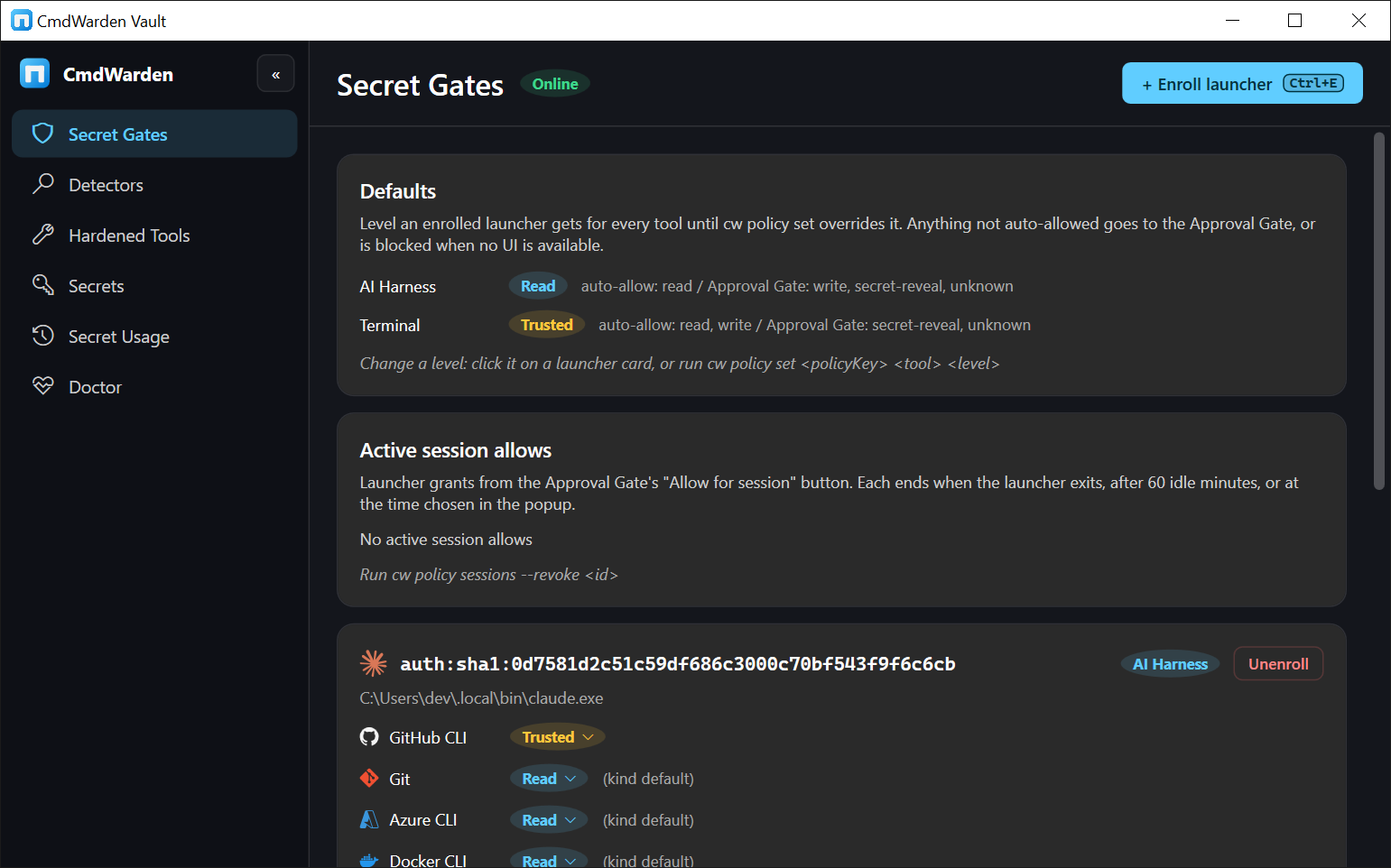
- Shows everything. The tray icon counts the cards of today. CmdWarden Vault lists gates, secrets, and every decision.
Pick your next step
-
Install
The setup zip is the install that works now. The winget catalog does not have BasantPandey.CmdWarden yet. NuGet.org does not have the package yet.
-
Trust
What CmdWarden sends (nothing about you), how to check the files, and what an agent can do. Read the Code signing policy.
-
Pick a use case
Short guides, from "gate my GitHub token" to "keep my .env out of the agent".
-
Tell your agent the rules
Paste one block into
CLAUDE.md,.cursorrules,AGENTS.md, or the Grok project rules.
Three surfaces
| Surface | What it is | When you see it |
|---|---|---|
cw CLI |
cw setup, cw try, and the power-user commands |
You type them in a terminal |
| Approval Gate | A small card with Deny (Esc), Allow for session (Enter), and Approve Once (1) | A gated command waits for you |
| CmdWarden Vault | Desktop app and tray icon: Secret Gates, Detectors, Hardened Tools, Secrets, Secret Usage, Doctor | You open it from the Start Menu or the tray |
Requirements
Windows 10 or 11 with a desktop session. CmdWarden is free, written in C#, and open source on GitHub.